Step by Step: How to register your Work Plan on the Mais Brasil Platform – PG 08!
Continued Page 8

From that moment on, the proposal data can no longer be changed and the body Grantor will analyze the proposal regarding its feasibility and suitability for the objectives of the Program.

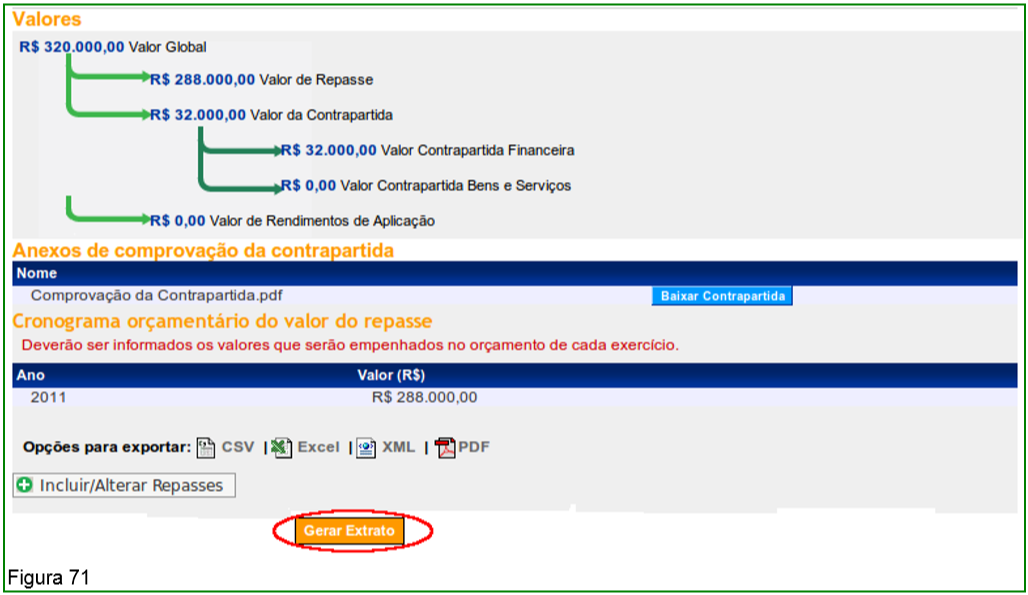
The system provides the “Generate Statement” button, containing all the data recorded for the proposal, as shown in Figure 71.
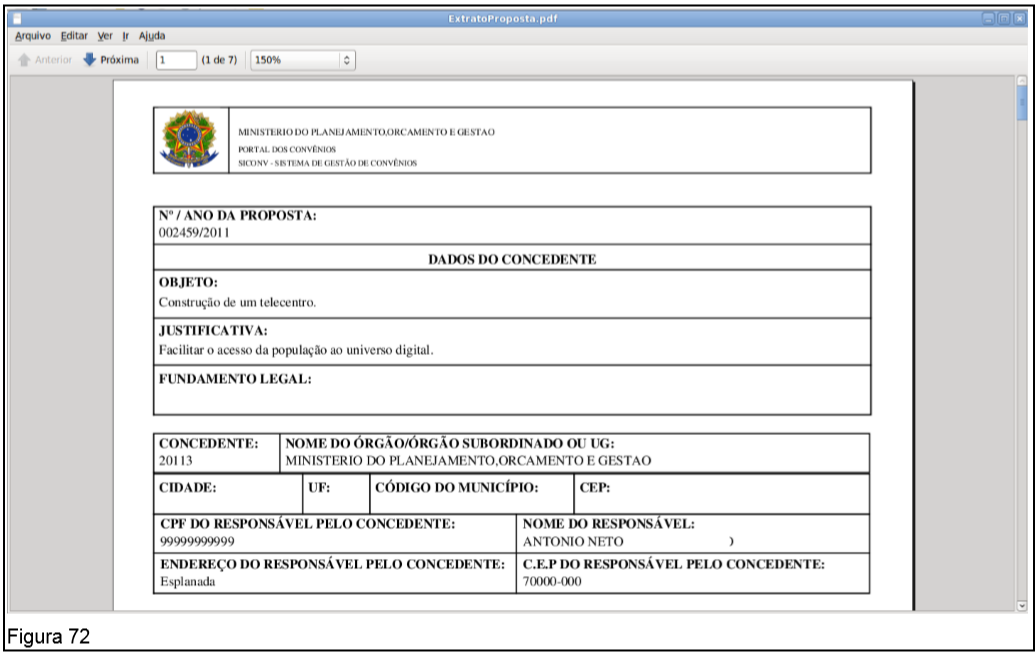
After clicking the “Generate Statement” button, the system provides the statement in PDF format, as shown in Figure 72.
When searching Program(s) to send a proposal, the user may select more than one Amendment parliamentary.

To do this, the user must, after accessing the system with CPF and password or Digital Certificate, in the “Proposals” menu, click on “Include Proposals”.

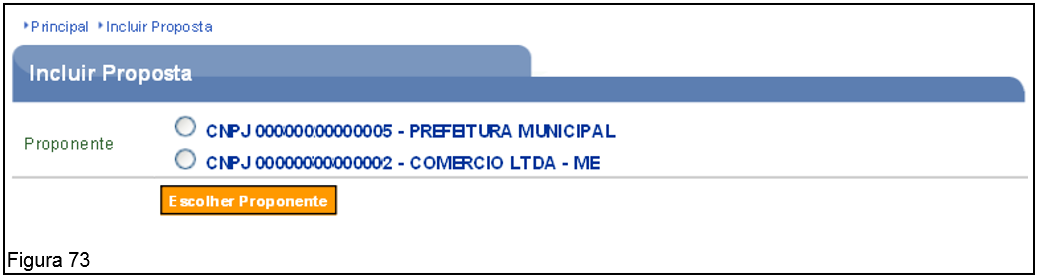
When clicking on this option, the system will display a screen for selecting the Proponent for which you intend to register the proposal.

Important: This screen will only be displayed when the user is responsible for more than one Proponent.

After selecting the Proponent, the user must click on the “Choose Proponent”, as shown in Figure 73.
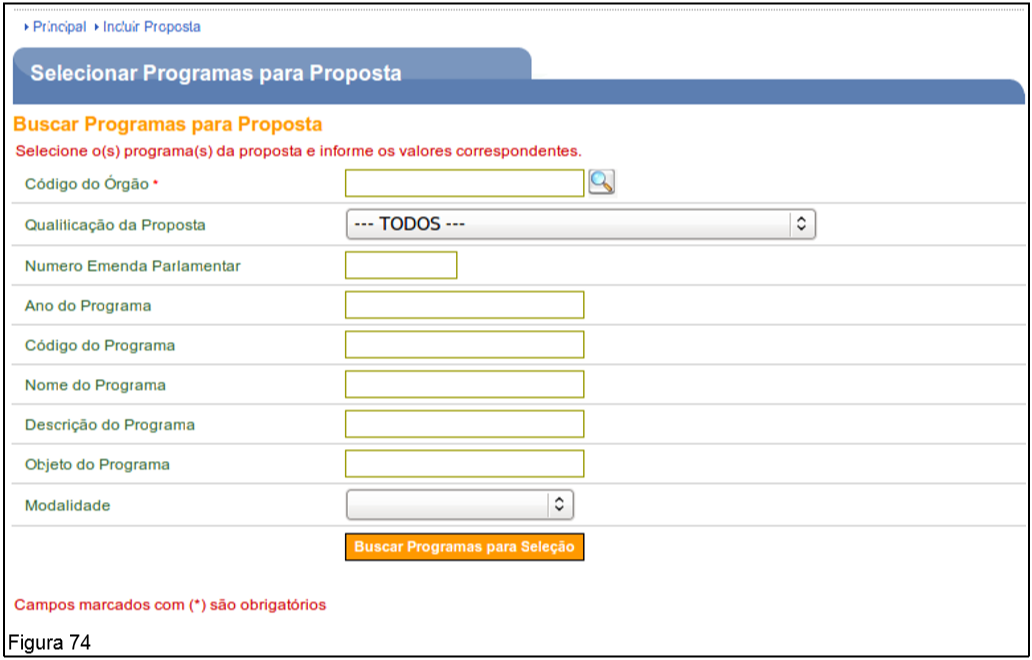
The system will display a screen for selecting the Program. The user must fill in some data for the query and click on “Search Programs for selection”, as shown in Figure 74.
The system will display programs according to the search criteria entered. The user must select the Program(s) desired and click on the “Select” button.

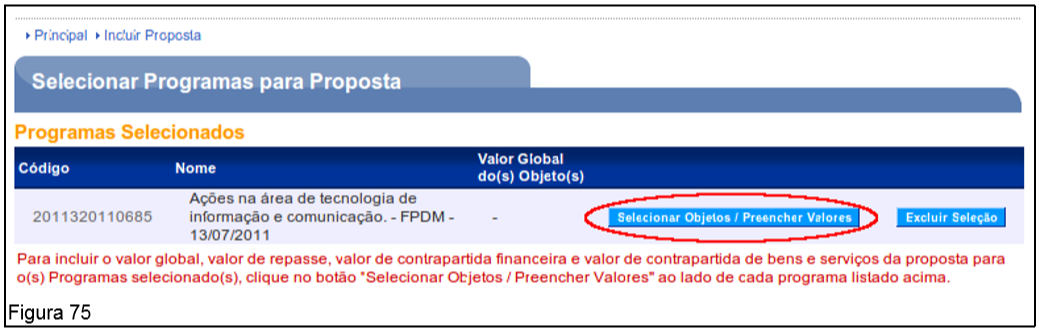
The system will display a screen with the code, name and buttons “Select Objects/Fill Values” and “Delete Selection”.

The user must click on the “Select Objects/Fill Values” button, as shown in Figure 75.
In the following example, a proposal with voluntary transfer resources will be included, Counterpart and 2 (two) parliamentary amendments.

In the field: “Overall value of the Object(s) (R$)” – value of R$ 300,000.00;
In the field: “Financial Counterpart (R$)” – value of R$ 30,000.00;
In the field: “Voluntary Transfer Value (R$)” – value of R$ 60,000.00;
In the “Value” field Amendment 12122012 (R$)”: value of R$ 60,000.00;
In the “Value” field Amendment 12345678 (R$)”: value of R$ 150,000.00.

Note that the “Total of Counterpart (R$)” and “Transfer Value (R$)” are automatically filled in by the system according to the values entered in the other fields.

Important: To the Amendment parliamentary “12345678”, part of the resource will be used, and no resource from the Amendment parliamentary “13132013”, in this proposal. The sum of the completed fields must be equal to the value of the field “Global Value of the Object(s)".

After filling in the fields, the user must click the “Save” button, as shown in Figure 76.

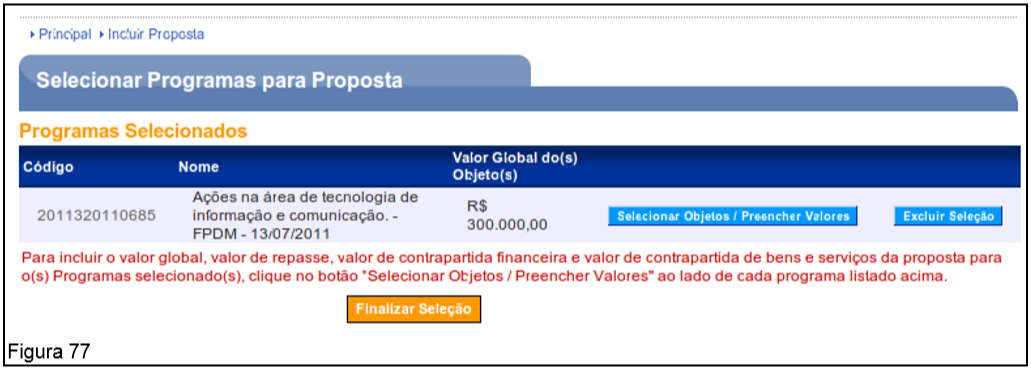
The system will display a screen with the field “Global Value of the Object(s) (R$)” completed. The user must click on the “Finalize Selection” button, as shown in Figure 77.
The system will display a screen with the “Program” field filled in, as shown in Figure 78.
The next fields must be filled in as 4.2. Include Proposal of this Manual.
If the user saves the proposal as a draft or registers the proposal, the value entered in the field(s) of the Amendmentparliamentarian(s) will be debited the maximum amount registered in each Amendment.
In the example, the resource of Amendment 12122012 the maximum available value was used. The resource of Amendment 12345678 150,000.00 of the maximum amount available was used and the Amendment 13132013 no resource value was used, as shown in Figure 79.
To include another proposal for the same Program, using the remainder of the resource available in parliamentary amendments, the user must follow the steps in item 4.3. Send Proposal to one or more AmendmentParliamentarian(s) of this manual.
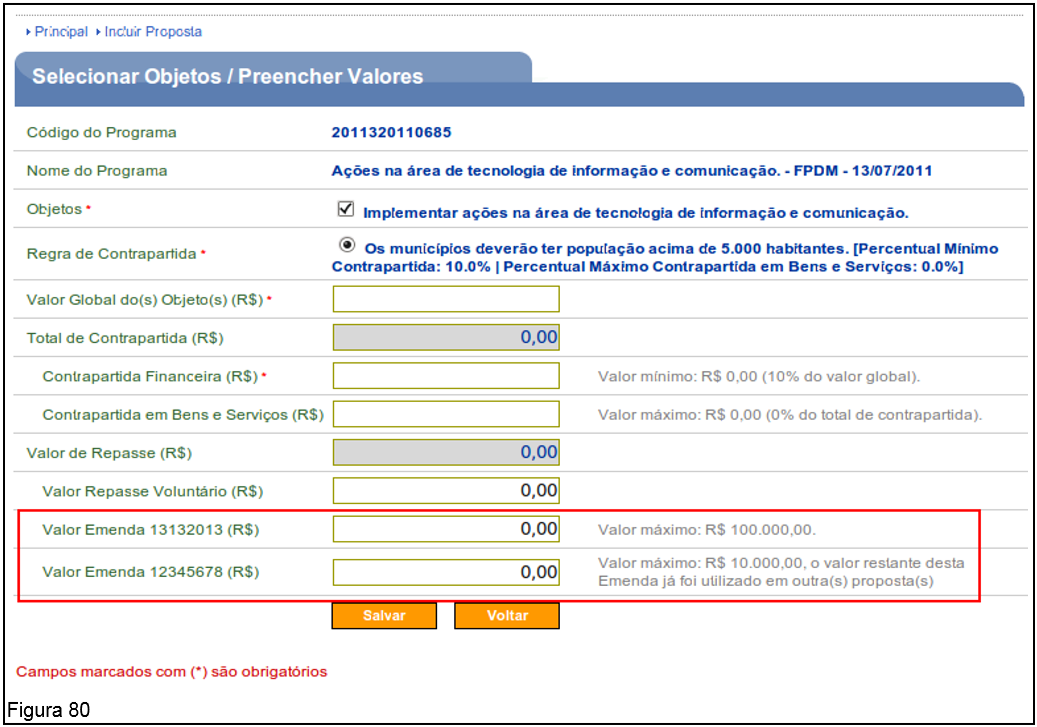
Note that the system will display on the proposal inclusion screen, the amendment fields with the remainder of the value that were not used in the previous proposal.
The value field of Amendment 12122012 is not displayed because the maximum value of the Amendment.
The field of Amendment 12345678 comes with the remaining value of the resource and the information: “Maximum value: R$ 10,000.00, the remaining value of this Amendment has already been used in other proposal(s)”.
The field of Amendment 13132013 comes with the total value of the resource (since it was not used in the previous proposal) and the information: “Maximum value: R$ 100,000.00”, as shown in Figure 80.
Important: Since the proposal canceled or rejected, the value informed in the proposal will be returned to the Amendment parliamentary.
To finalize the registration of the proposal and the inclusion of the Work plan, the user must follow the steps contained in item 4.2. Include Proposal of this Manual.